How it works
Connect, select, preview, push.
Four steps between you and a repriced book of repeating invoices — with a preview in the middle so you commit only what you meant to.
Connect your Xero account
Authorise Invoice X with Xero through the standard OAuth 2.0 flow — set up entirely in the app, nothing to put in a config file. Invoice X requests offline access so the connection stays alive, and only the scopes it needs to read and rebuild repeating sales invoices.
- No password handling — the grant is Xero's
- Pick the organisation if your login reaches several
- Switch account keeps your app credentials
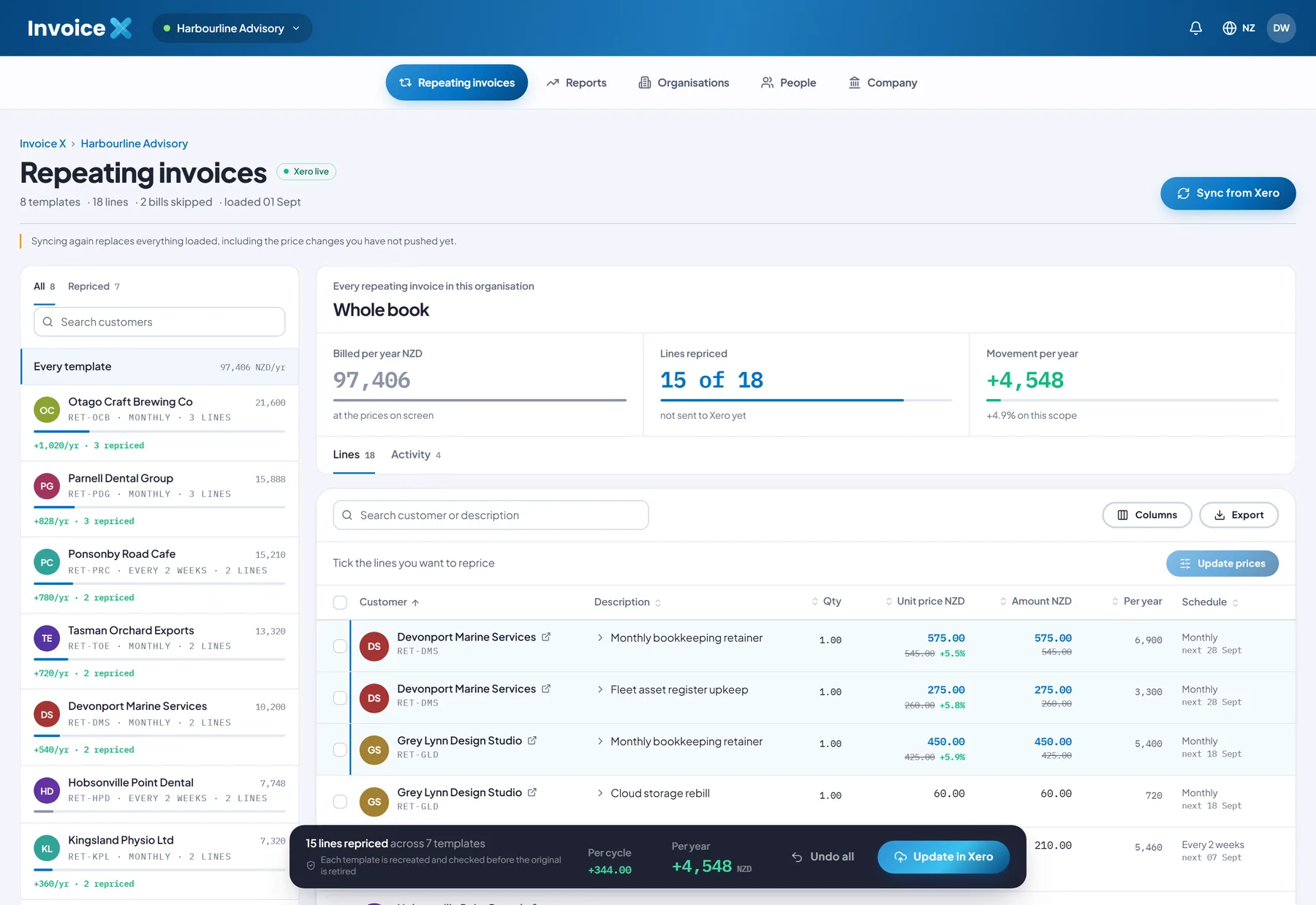
Load your repeating invoices
Pull your repeating sales invoices (ACCREC) from Xero into the workspace. Bills are counted and skipped. Loading replaces the workspace, so it always reflects one clean snapshot of the book, with each template's schedule and annual value worked out.
- Only sales templates are imported
- Every schedule and annual value computed
- Multi-currency books scoped per currency
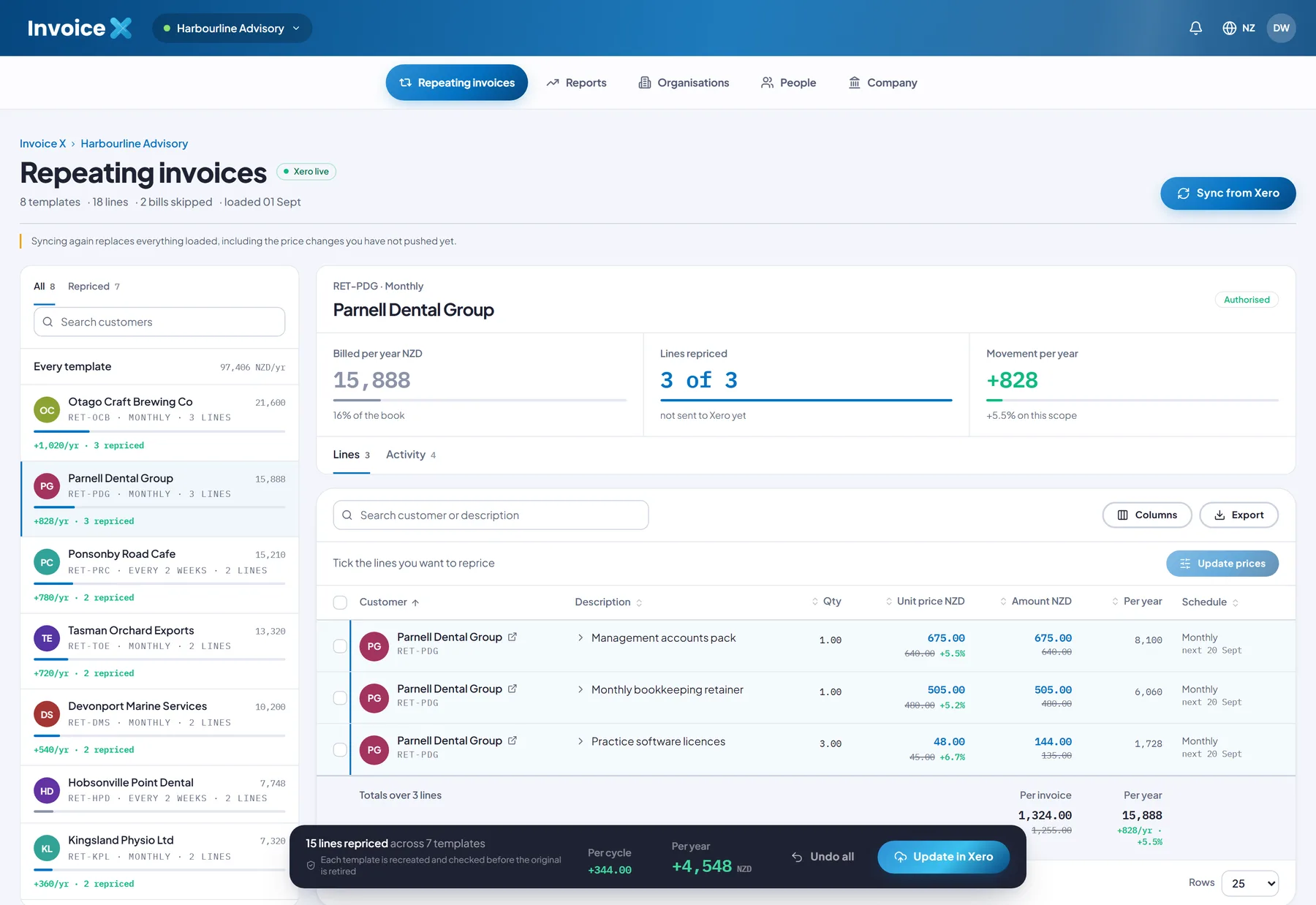
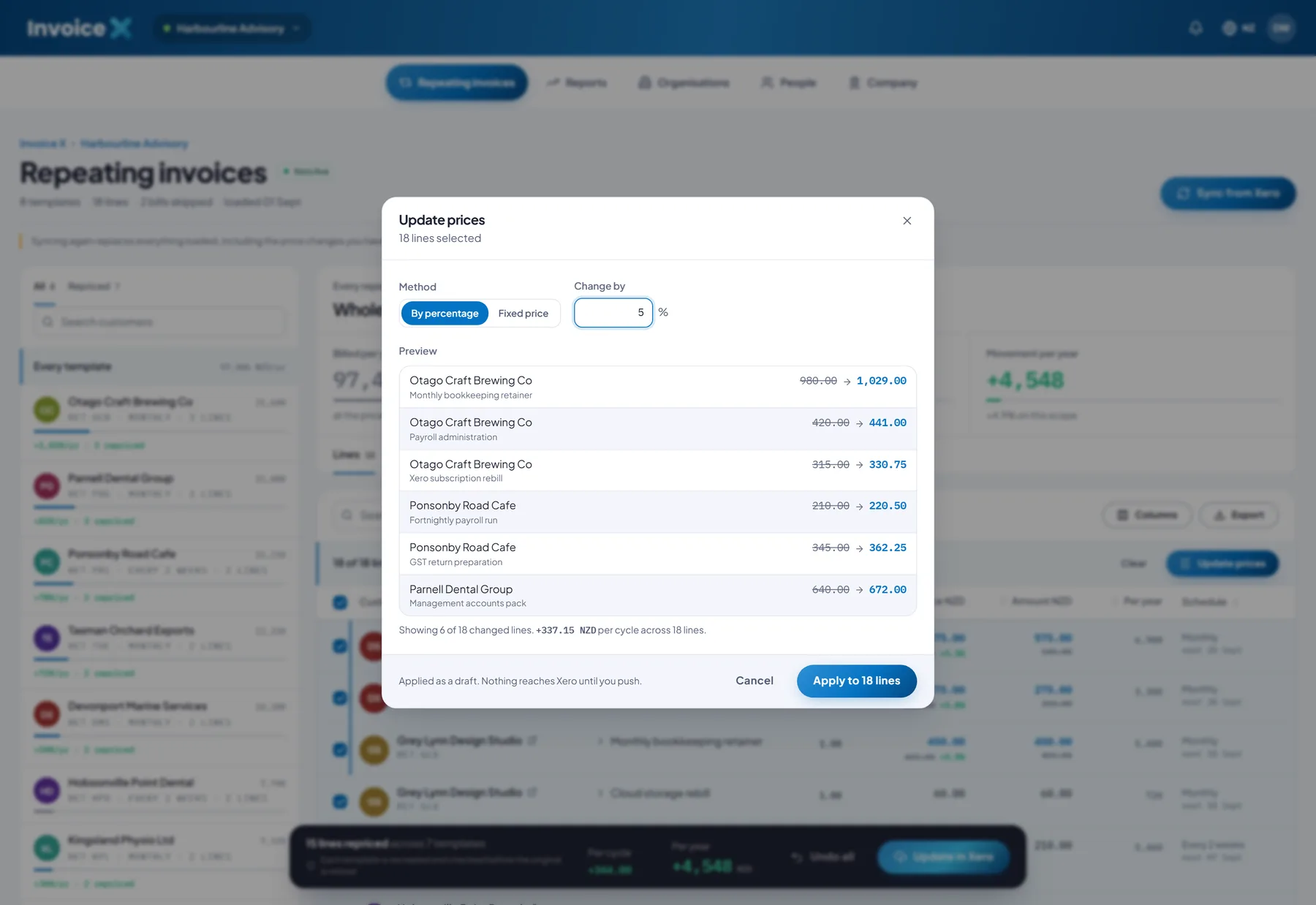
Select the lines and preview
Tick the templates and lines you want to move. Choose by percentage or a fixed price, add a minimum increase, a rounding step and a start date if you need them, and the preview shows the exact old and new price for every line plus the movement per cycle — computed by the same engine that applies it.
- Per-line selection
- Advanced rules applied in a fixed order
- Rounding never reverses the change
Push back to Xero
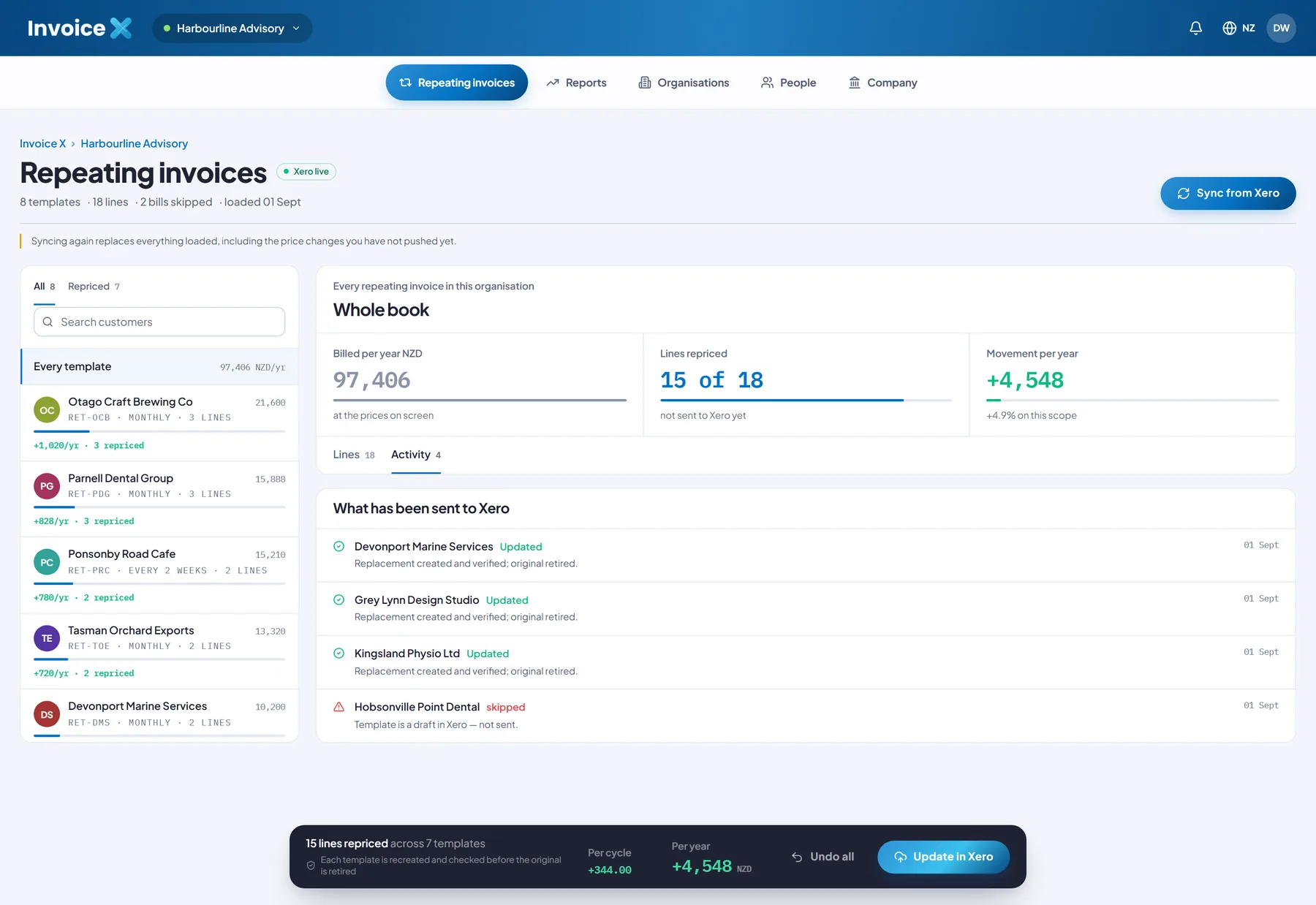
When the preview is right, push. Each changed template is written as create → verify → retire: build the replacement, read it straight back, check it field by field, and only then mark the original deleted. A failed check rolls that template back and leaves the original running. Progress is reported per template.
- Nothing reaches Xero until you push
- Undo all discards pending changes
- Per-template progress over the push
Try it without Xero
Sample-data mode rehearses the whole flow.
Load eight sample templates across weekly, fortnightly, monthly, quarterly and annual cadences and run a full price update and push — the create-verify-retire rehearsal runs without calling Xero.
Every feature is in the one $29/month plan. See what it does, read how the write-back stays safe, or book a demo.
Ready to reprice the whole book at once?
Subscribe for $29/month and do the annual price rise in one previewed pass — or explore the interface on sample data first.
$29/month · Up to 5 users · One simple plan